carrypromise
What your lead sees before they talk to you
Every screen a Carrypromise lead goes through before your phone rings, from the ad to the text with your number.
Before you dial, your lead has seen an ad, answered a few questions, typed a code from their phone and looked at your Agent Card. Here's the whole path in one picture, then screen by screen — with our demo lead Linda Carter and demo agent Maria Lopez, so you know what your lead knows when they pick up.
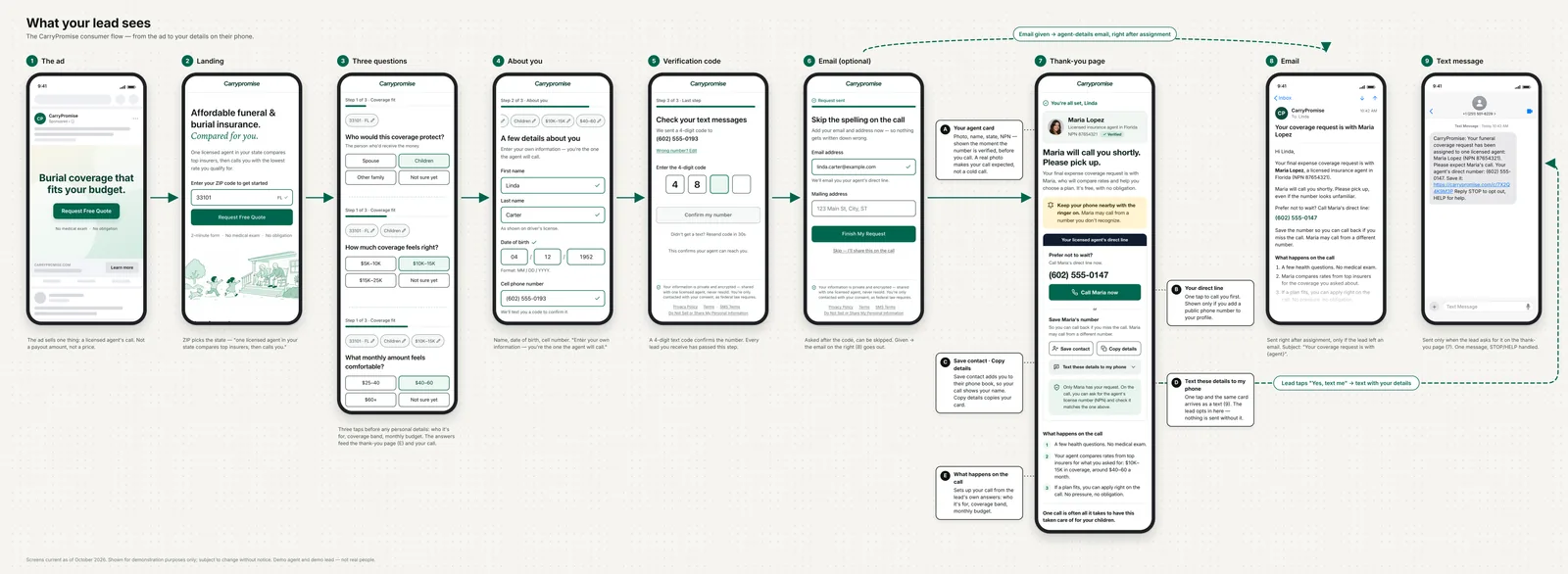
Screens current as of October 2026, shown for demonstration only and subject to change. Demo agent and demo lead — not real people.
The ad
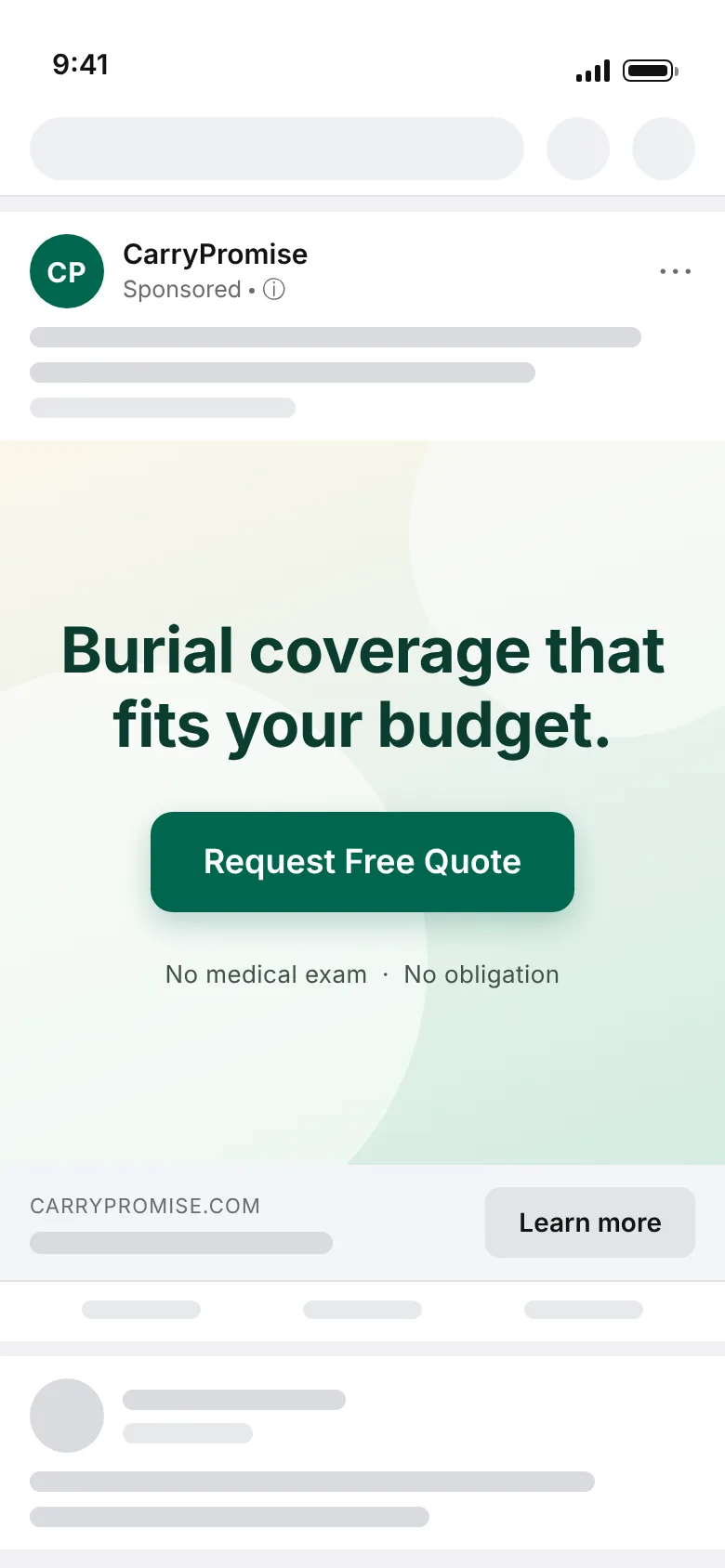
The ad talks about coverage that fits the client's budget. It doesn't name a benefit amount or promise a payout. What it offers is a licensed agent who helps them find a plan, and that's the expectation your lead brings to the call.
The questions
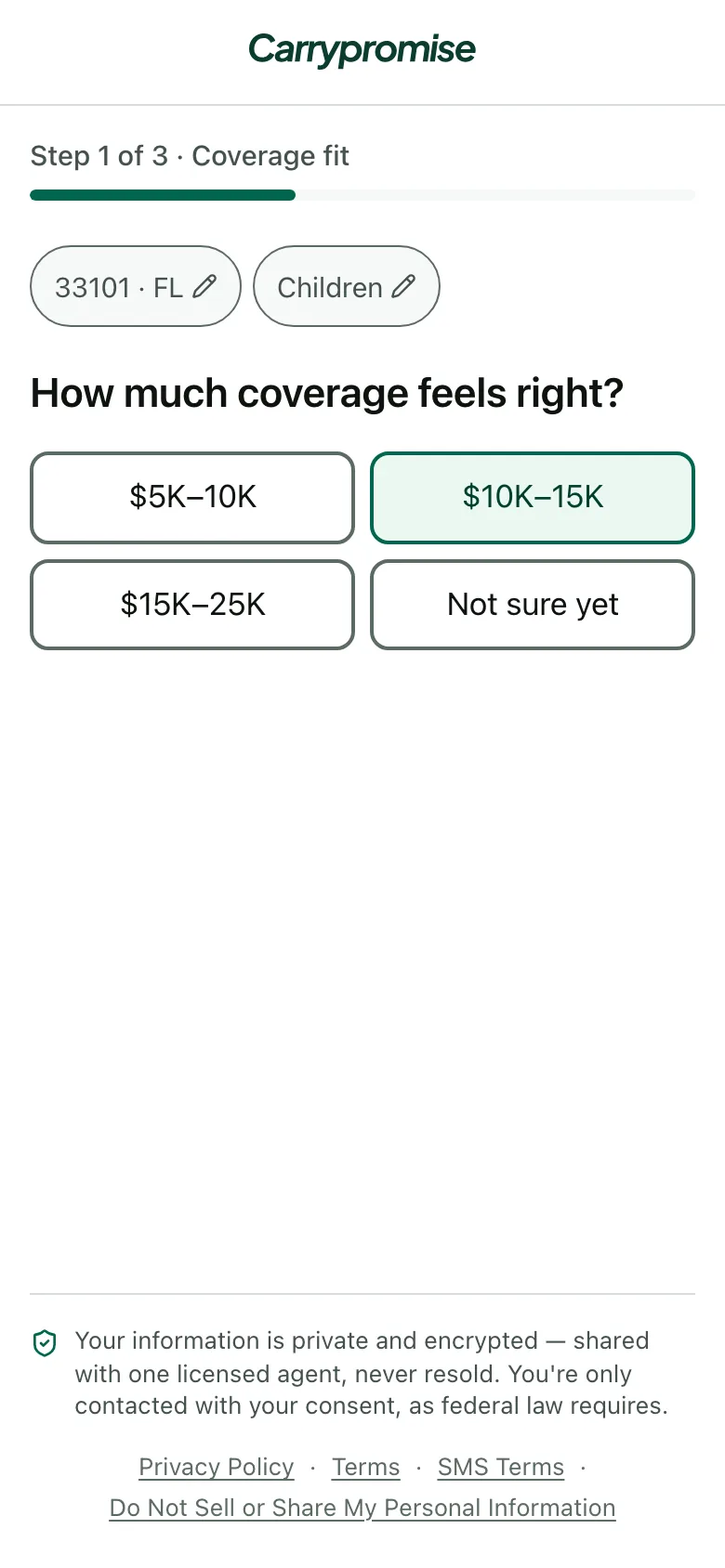
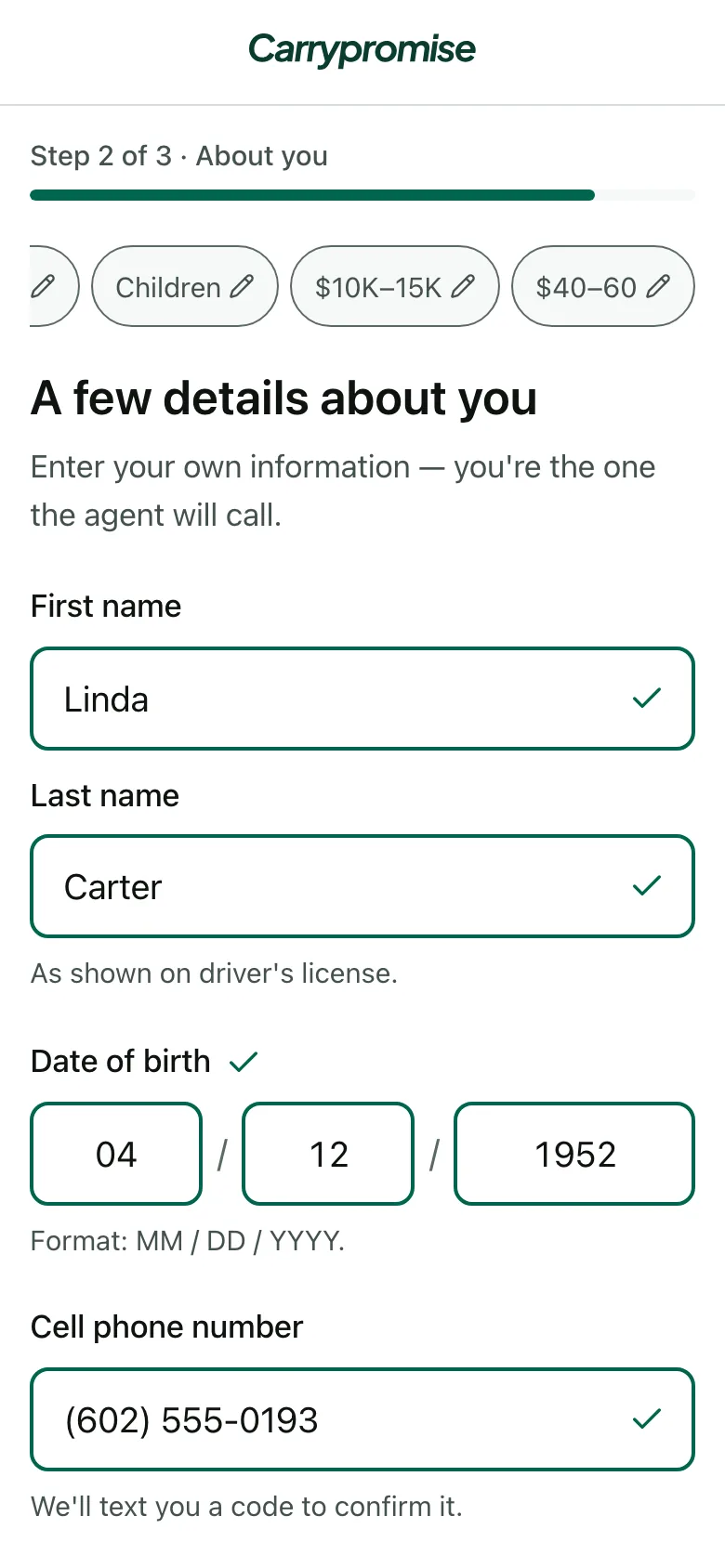
The form starts with the ZIP code, which sets the state. Then three questions about fit: who the coverage is for, how much coverage feels right and what they can pay each month. Only then does it ask for their name, date of birth and cell number. When you call, you already know who they're protecting, the coverage band and the budget.
The code
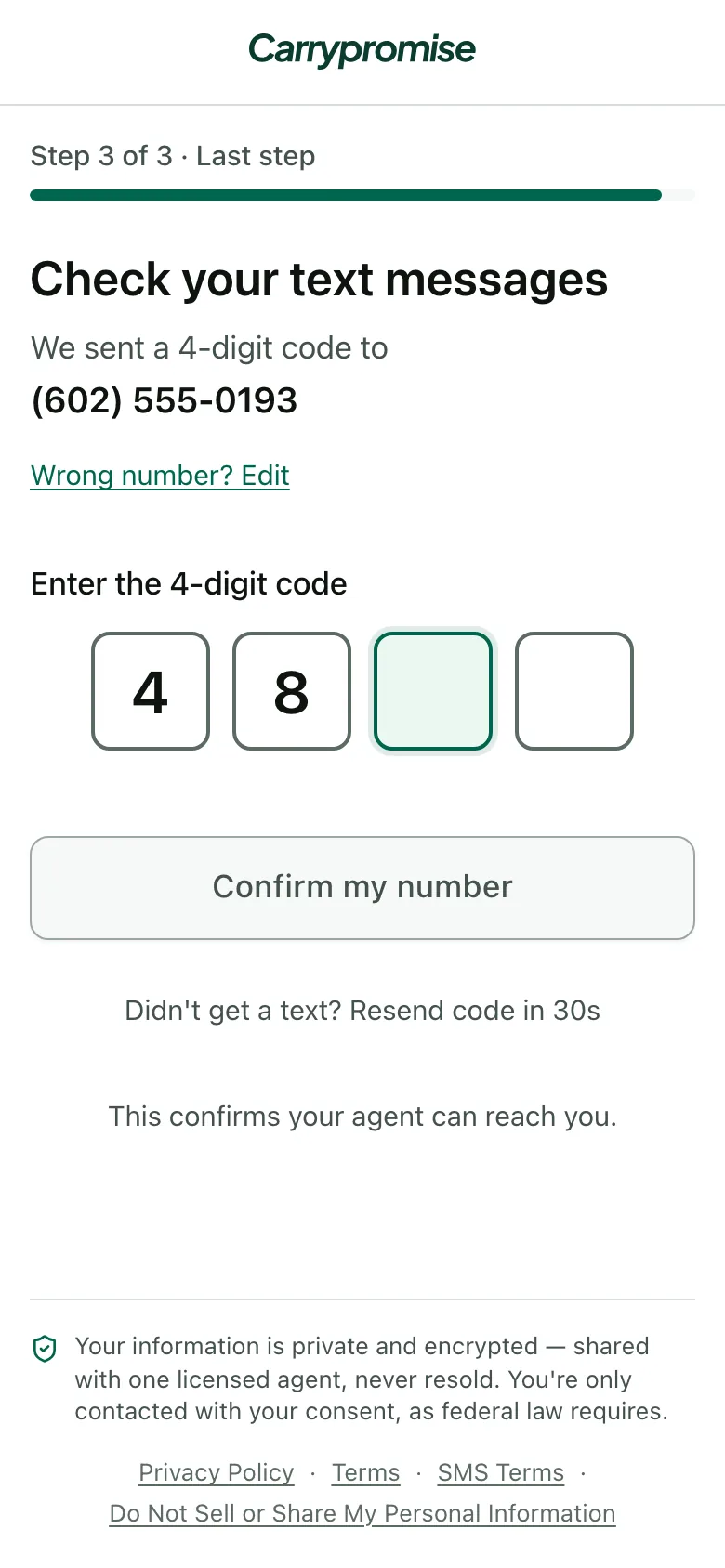
Every lead types a 4-digit code we text to their cell before they reach you. A mistyped or borrowed number doesn't get through. Email and mailing address are asked after the code, and the lead can skip both.
The confirmation page
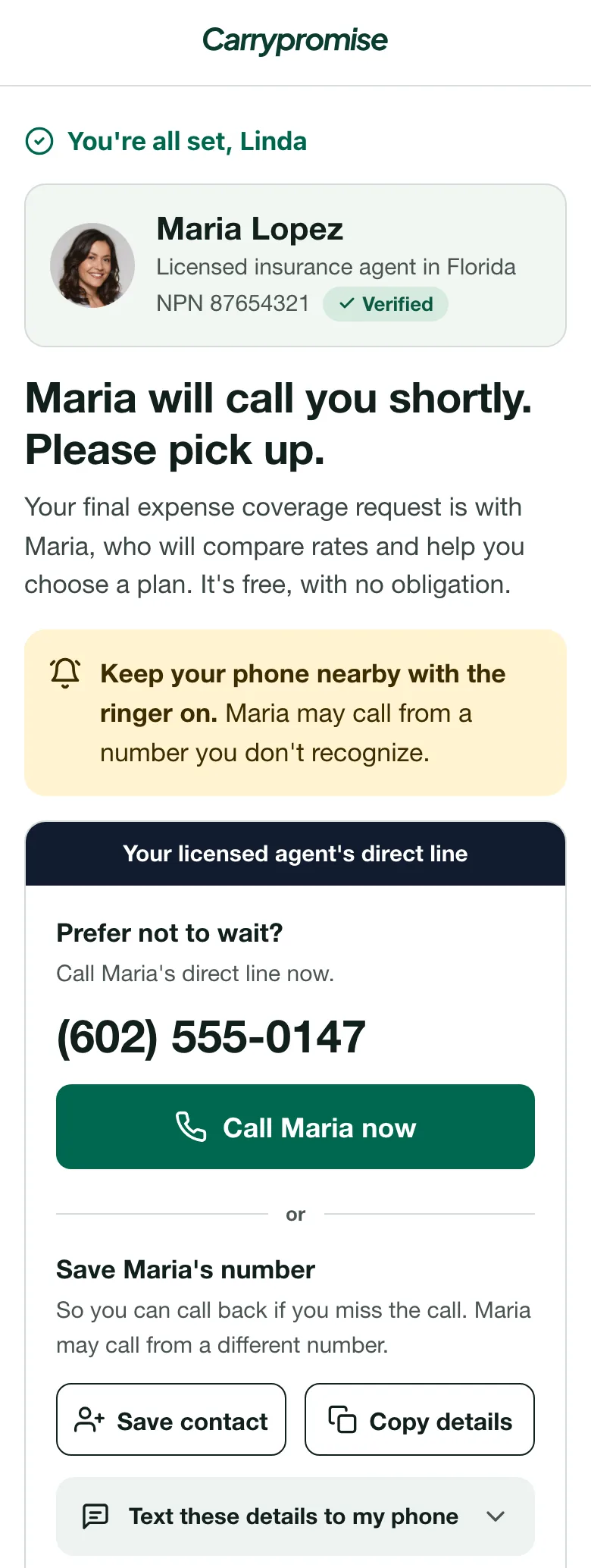
Right after the code, your lead sees your Agent Card: your photo, your name, the state you're licensed in, your NPN and a Verified badge.
Under it, "Prefer not to wait?" shows your direct line and a button to call you now. Save contact saves your name, direct line and NPN to their phone. Copy details copies your name, NPN and direct line as text. Text these details to my phone sends the same details by text.
All of that appears only when you've added a Caller ID number. Without one, your lead sees a short safety note and no way to reach you first.
Further down, the page explains what happens on the call: a few health questions with no medical exam, a rate comparison for the coverage and budget they picked, and an application only if a plan fits.
The email
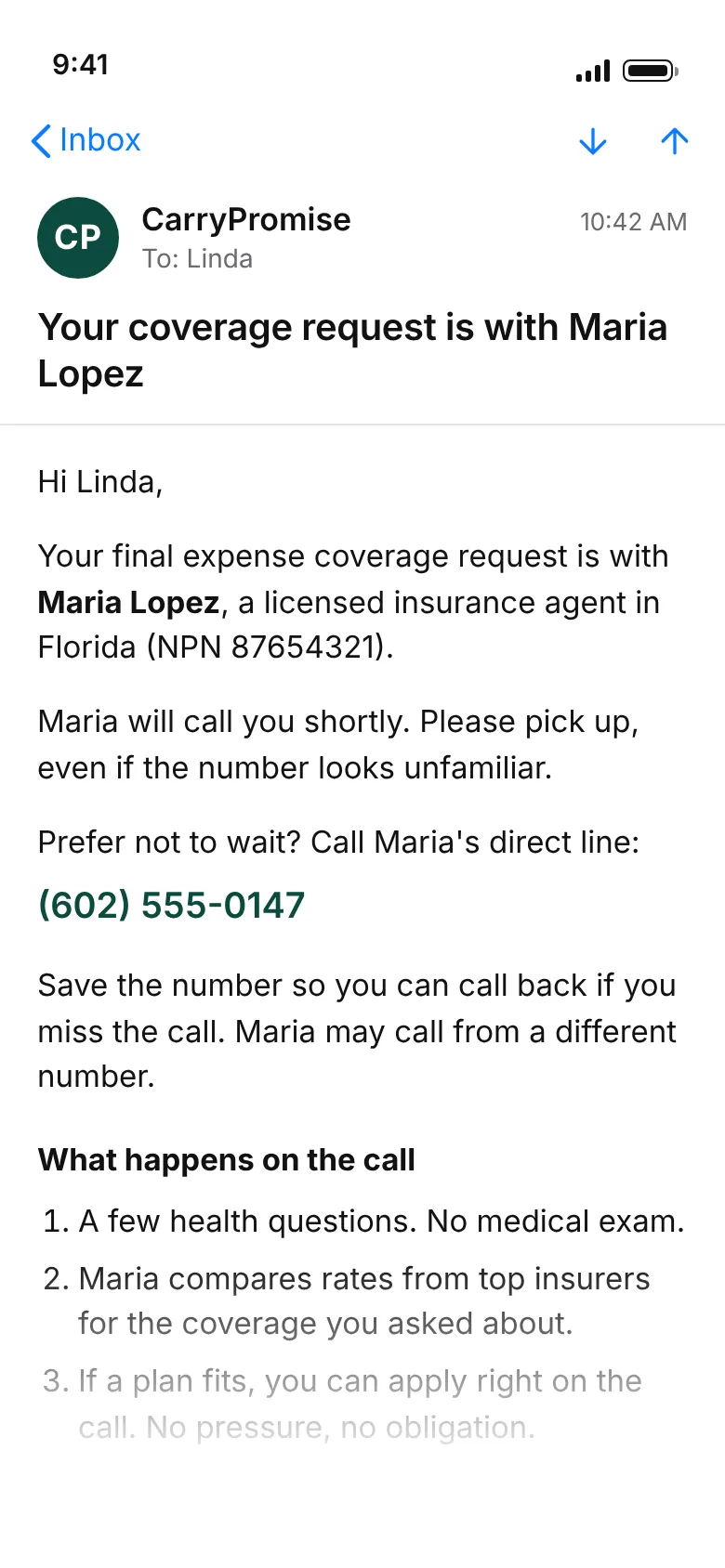
If your lead leaves an email, we send one right after they're matched to you, or as soon as they add the address. No address, no email.
The text
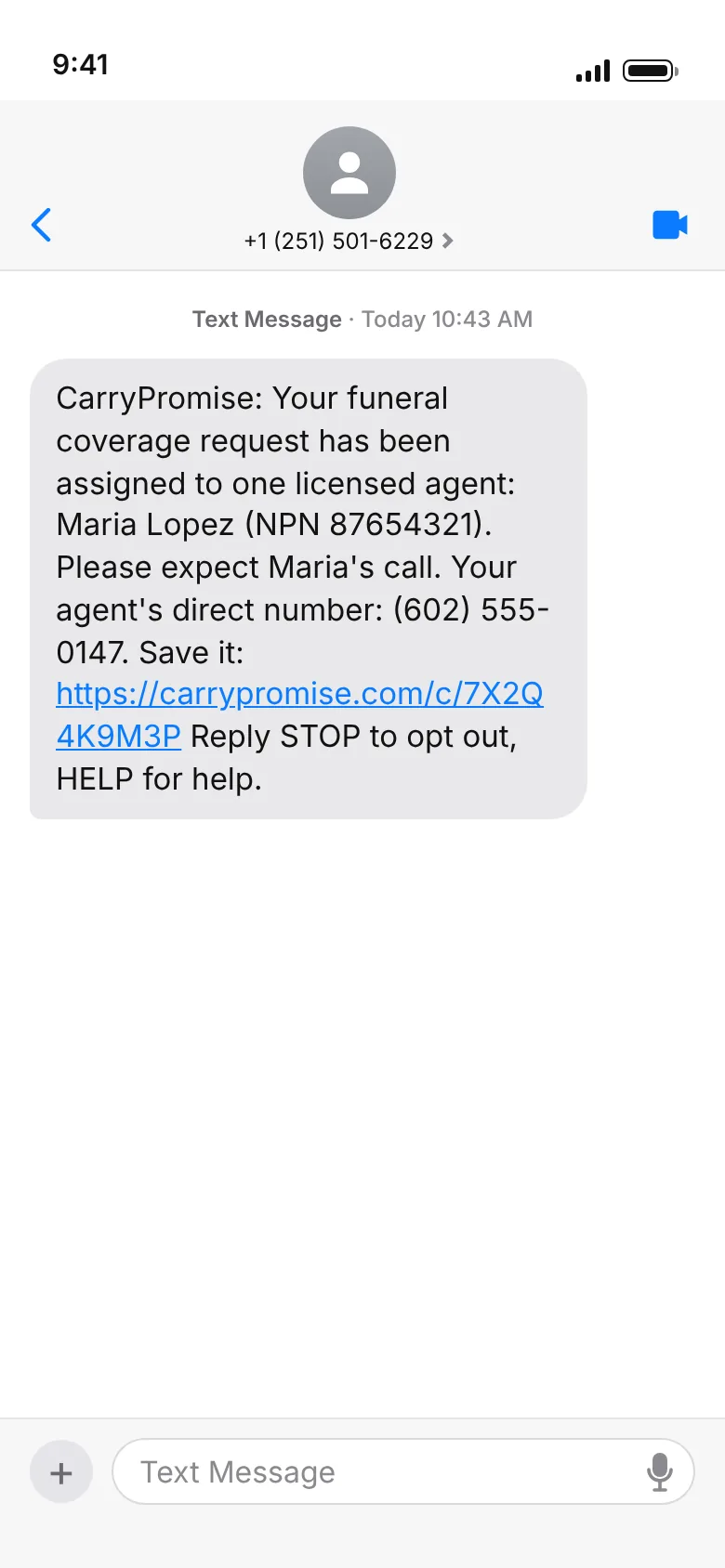
The text goes out only after your lead taps "Text these details to my phone" and confirms. Nothing is sent without that tap. The message follows a registered template: your name, NPN, direct line and a link back to your card.
What this means for your setup
Most of what your lead sees comes from three things you control:
- Your photo puts a face on the card.
- Your Caller ID number turns on "Prefer not to wait?", Save contact, Copy details and the text option. Without it, your lead can't call you first.
- Instant alerts by SMS or Telegram tell you the lead is yours while they're still on that page.
Why each setting matters: Don't lose leads you paid for.